
Aanchal Parmar
Product Marketing Manager, Flexprice
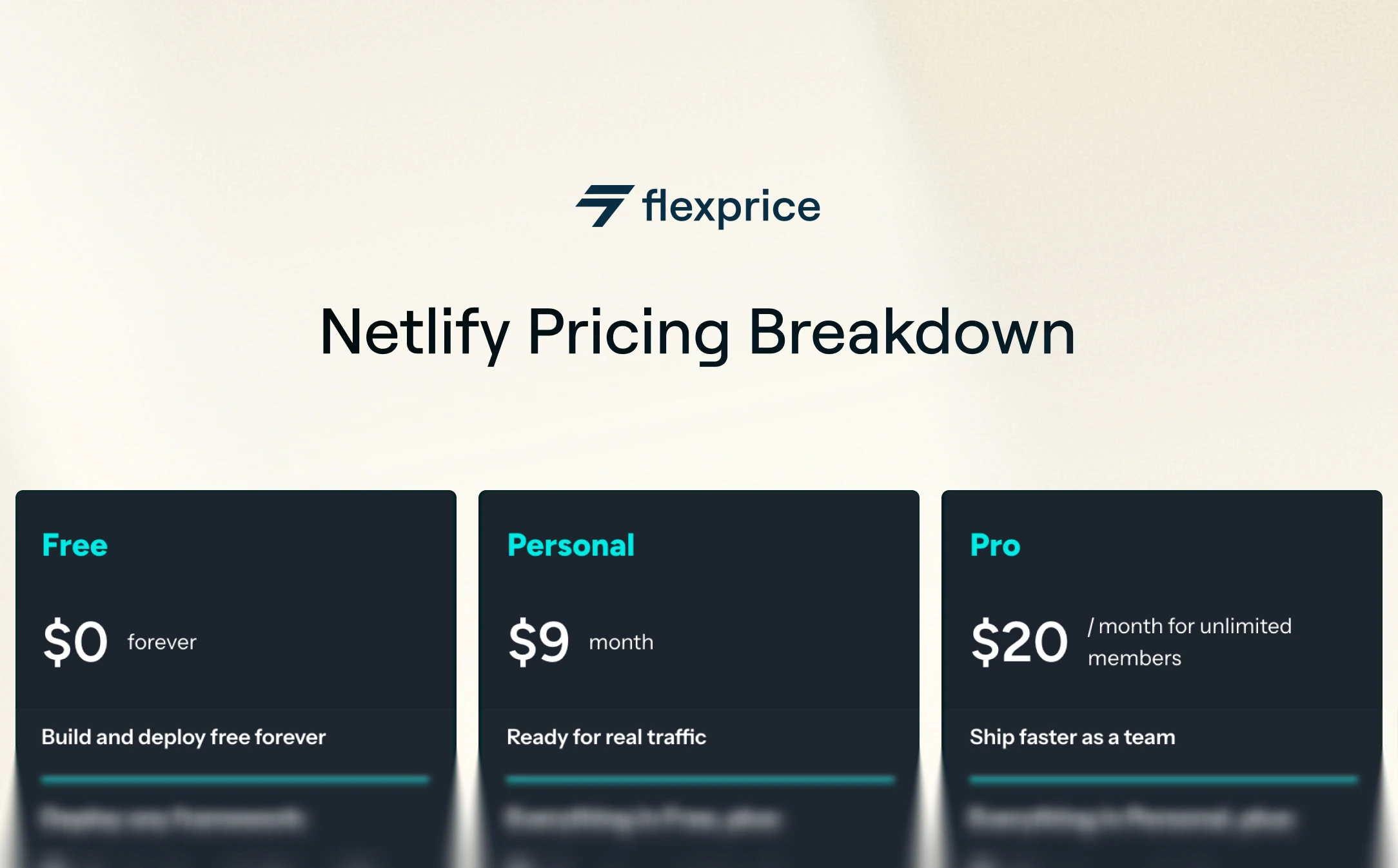
Netlify has a credit base pricing model, you pay a flat monthly fee (Free $0, Personal $9, Pro $20, or custom Enterprise), then spend a single unit called credits across deploys, compute, bandwidth, web requests, and AI inference.
What used to be "$0 forever" now depends on how much you actually use. If your account predates September 4, 2025, you're on a Legacy plan and can stay there. Everything below covers the current credit-based plans, which are what new sign-ups get by default. Here's how the money actually works, and how to avoid a surprise bill.
Key Takeaways
Netlify runs four plans: Free ($0, 300 credits), Personal ($9, 1,000 credits), Pro ($20, 3,000 credits), and Enterprise (custom).
Credits are the single usage unit. You spend them across five meters: production deploys, compute, bandwidth, web requests, and AI inference.
The Free plan is a hard cap. Hit 300 credits and your sites pause until next month. Paid plans auto-recharge instead, but it's off by default.
On April 14, 2026, Netlify dropped per-seat pricing. Pro is now a flat $20/month with unlimited team members.
In dollar terms, extra credits run about $0.13/GB bandwidth and $0.07/GB-hour compute, so heavy compute or AI usage is where bills climb.
A quick note on the pricing transition: On September 4, 2025, Netlify moved all new accounts onto a new credit-based pricing model, then refined it again on April 14, 2026 (the most notable change: the Pro plan is now flat-fee with unlimited team members). If your account was created before September 4, 2025, you're on a Legacy plan and can stay on it. Everything in this post describes the current credit-based plans, which are what new sign-ups get by default.
What is Netlify

Netlify is a web development platform that lets teams build, deploy, and scale web apps without managing servers or DevOps workflows. Frontend developers, JAMstack teams, AI builders, and startups use it to ship fast with fewer moving parts.
At its core, Netlify connects to your Git repo (or your AI agent), automates CI/CD, and deploys your site globally in seconds. It supports static sites, serverless functions, edge logic, AI agents, and a serverless Postgres database from one platform.
Core features that define Netlify
These are the building blocks you're paying for across every plan:
Git-based and AI-based CI/CD: builds and deploys your project on every push, or directly from an AI tool or API.
Deploy Previews: unique preview URLs for each pull request or branch.
Global Edge Network: delivers assets and responses via CDN for fast performance.
Serverless Functions: lightweight backend functions without separate infrastructure.
Edge Functions: run logic closer to the user for personalization and routing.
Agent Runners: run AI coding agents that fix, update, and ship code from your dashboard.
AI Gateway: connect to any AI model without managing API keys.
Netlify DB and Blobs: auto-provisioned serverless Postgres and object storage.
Team Workflows: role-based access, reviewer support, and collaboration tools.
One-click Rollbacks: revert to any previous deploy instantly.
Forms (now unlimited and free): built-in form handling with spam protection.
Plugin and Extension Ecosystem: an extensible build environment with community and custom extensions.
Security and Compliance: WAF, smart secret detection, SSO/SCIM, audit logs, and enterprise-grade governance on higher plans.
Whether you're launching a landing page or scaling a multi-region AI app, Netlify abstracts the infrastructure while giving teams control over how they build and ship.
How Netlify pricing works
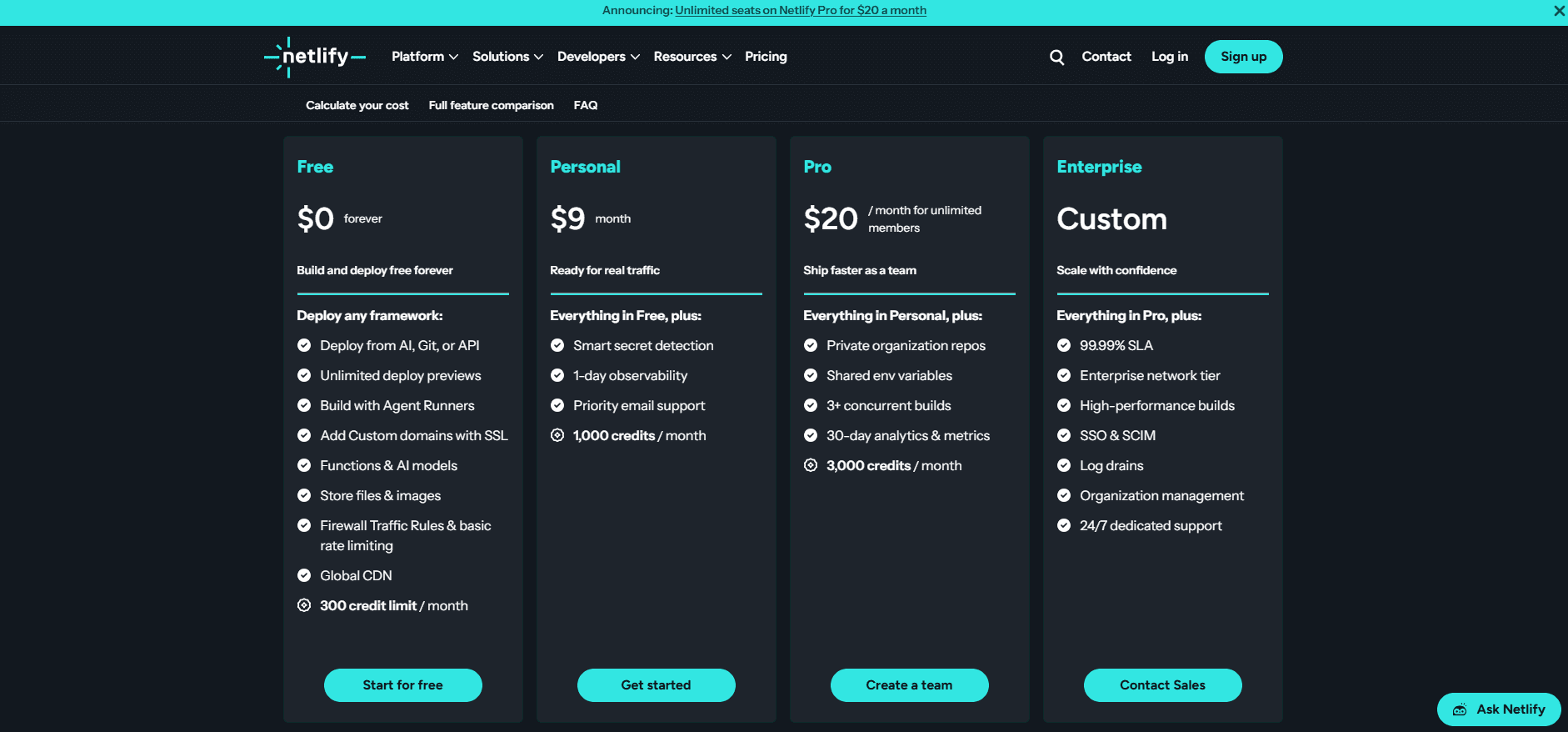
Netlify charges a flat monthly subscription plus usage, and usage is measured in credits. There are four core plans, per Netlify's pricing page:
Free: $0/month, 300 credits/month with a hard limit. Good for personal projects or prototypes.
Personal: $9/month, 1,000 credits/month. For solo developers shipping real traffic.
Pro: $20/month, 3,000 credits/month, with unlimited team members. Pro credits are tiered, so you can scale the ceiling to 5,000, 10,000, 15,000, or 20,000 credits/month (up to about $126/month) without moving to Enterprise.
Enterprise: custom pricing, enterprise-grade features, SLAs, and security controls.
The structure isn't "pick a plan and go." You pay for the subscription and for how much you use the platform.
As of April 14, 2026, Pro no longer charges per seat. You can add unlimited Owners, Developers, Git Contributors, Reviewers, and Billing Admins for the same $20/month. Reviewers who don't push code are free on every plan, including Free.
Usage is tracked in one unit, credits, consumed across five meters:
Production deploys: 15 credits each
Compute: 10 credits per GB-hour (serverless, scheduled, and background functions, Preview Servers, Agent Runners)
Bandwidth: 20 credits per GB
Web requests: 2 credits per 10,000 requests, including Edge Functions
AI inference: billed per model, so the cost varies by the AI model you call
Each plan comes with a baseline credit allotment. Exceed it, and paid plans auto-recharge in small batches while Free plan sites pause until the next billing cycle.
Here's the same picture as a quick comparison:
Plan | Monthly price | Included credits | Standout features |
Free | $0 | 300 (hard cap) | Deploy from AI/Git/API, unlimited deploy previews, global CDN |
Personal | $9 | 1,000 | Smart secret detection, 1-day observability, priority email support |
Pro | $20 | 3,000 (tiers up to 20,000) | Unlimited members, 30-day analytics, private org repos, shared env vars |
Enterprise | Custom | Custom | SSO/SCIM, 99.99% SLA, high-performance builds, log drains, 24/7 support |
Why Netlify killed per-seat pricing
Netlify removed seat-based pricing from Pro on April 14, 2026, when CEO Mathias Biilmann published The end of seats: pricing Netlify for 3 billion builders.
Before the change, Pro cost $20 for one seat, and each additional team member or Git contributor added another $20/month. Now Pro is a flat $20/month with unlimited seats.
The reasoning is straightforward. 65% of the 40,000 people signing up for Netlify every day are new to web development, including marketers, finance teams, support staff, and AI agents shipping code on behalf of humans.
As Biilmann put it, "Seat pricing made sense for us when software was written by a handful of developers. It makes far less sense when anyone, including any AI agent, can build software."
Netlify also adjusted its meters alongside the seat change. Bandwidth went from 10 to 20 credits/GB, compute from 5 to 10 credits/GB-hour, and web requests from 3 down to 2 credits/10k. Form submissions became free. Netlify modeled the change so that 98% of customers see the same or a lower monthly bill.
Why Netlify uses credit-based pricing
Netlify uses credits because usage isn't linear, and a flat fee would overcharge one team while undercharging another.
This is credit-based pricing, you pay a base fee ($9 on Personal, $20 on Pro) and then pay more only if you exceed the included credits. For developers used to all-in-one pricing, this feels confusing at first.
The logic holds up once you see the spread. One team ships a static blog that deploys once a week. Another runs an AI-powered dashboard with heavy Edge Function calls, image optimization, agent runs, and daily CI deploys.
Charging both the same would make one of them significantly overpay. This base-fee-plus-usage structure is a form of hybrid pricing, and credits are how Netlify keeps it in one unit.
Credit-based pricing gives teams three things:
A stable base cost for predictable usage
The flexibility to scale bandwidth, compute, web requests, or AI inference as needed, all in the same credit unit
Control over which extras (audit logs, additional Preview Servers, additional concurrent builds, custom SLAs) they pay for
What you really get in each Netlify plan
The plan labels don't tell you what each tier feels like in practice. The real differences come down to credit ceilings, feature access, and how much room you have before you hit friction.
Free gives you 300 credits per month with a hard limit, no auto-recharge, and no overage.
That covers personal sites or portfolio projects, but not iterative dev loops or preview-heavy work. Hit the cap and all your sites pause until the next month, no exceptions.
Personal ($9/month) raises that to 1,000 credits/month and adds priority email support, smart secret detection, and 1-day observability. Auto-recharge is available at $5 per 500 extra credits. It fits a solo developer shipping real traffic who doesn't yet need team collaboration.
Pro ($20/month) raises the ceiling to 3,000 credits/month, with unlimited team members, three or more concurrent builds, 30-day analytics and metrics, shared environment variables, organization-owned private repos, audit logs, and Slack notifications.
It includes one Preview Server, with additional ones at $15/month each, and extra concurrent builds are paid add-ons. Auto-recharge runs at $10 per 1,500 credits. It's built for small teams who ship regularly, though credit consumption ramps quickly if you're doing anything compute-heavy such as SSR, dynamic previews, agent runs, or large asset delivery.
Enterprise is less about credit allotments and more about governance: SSO/SCIM, full-history audit logs, a 99.99% uptime SLA, log drains, a high-performance build environment, org-wide controls, and private Git integrations.
These aren't just feature gates. They shape how fast your team can ship:
3,000 credits sounds generous, but a large monorepo doing daily merges at 15 credits per production deploy, plus image-heavy compute, can chew through that during QA or load testing.
Preview Servers are limited to one per team on Pro. If you rely on always-on cloud preview environments, you'll manage rotations or pay $15/month for each additional one.
Compute and web requests consume credits separately from bandwidth and deploys. Heavy AI agents or image-optimization pipelines can quietly drain credits without an obvious red flag.
How Overages and Metering actually work
Once you cross the credit limit on a paid plan, the charges are automatic if auto-recharge is on. They don't wait for approval. Unless you check your usage dashboard weekly, it's easy to miss when you cross a threshold.
Here's how the metering works in practice:
Production deploys: 15 credits each. This covers all CI/CD activity that is published to your production branch, triggered by commits, merges, CMS updates, or AI agent runs. Deploy Previews and branch deploys aren't metered.
Compute: 10 credits per GB-hour. This is the meter for serverless functions, scheduled and background functions, Preview Servers, and Agent Runners.
Bandwidth: 20 credits per GB. That's not just your homepage. It includes images, JS bundles, fonts, Image CDN usage, function responses, and anything your users download.
Web requests: 2 credits per 10,000 requests. This includes traffic to your production URL, branch deploys, Deploy Previews, redirects, and Edge Function invocations.
AI inference: billed per model when you call AI through Agent Runners or AI Gateway, so the credit cost tracks the model you use.
Form submissions: unlimited and free across all credit-based plans.
In dollar terms, Netlify prices extra credit packs at $10 per 1,500 credits. That works out to roughly $0.13 per GB of bandwidth, $0.07 per GB-hour of compute, and about $0.01 per 10,000 web requests.
A single production deploy at 15 credits costs about $0.10. This is the same pattern Flexprice runs with real-time usage metering: meter the raw events, price them, and bill them without hand-written logic.
Once you exceed your monthly allotment, auto-recharge handles the overage, and it's off by default. Paid plans top up in small credit packs (Personal adds 500 credits for $5, Pro adds 1,500 for $10). Netlify emails you at 50%, 75%, and 100% of your monthly usage. Free plan accounts can't enable auto-recharge; their limit is a hard cap.
A team doing daily deploys plus preview environments for QA can burn through credits without realizing it. Add a seasonal traffic spike or AI-based personalization through Edge Functions and Agent Runners, and you're several auto-recharge top-ups deep without changing anything in your workflow.
When Netlify's free plan isn't enough
Netlify's Free plan looks generous: 300 credits/month, automated deploys, serverless functions, branch previews, and free unlimited reviewers. For solo projects, landing pages, or early MVPs, it feels like plenty. Most real-world teams outgrow it faster than they expect.
The friction usually starts when you do one of these:
Add Netlify Functions for even light backend logic (API calls, form handling, webhook listeners). Each invocation spends compute credits.
Use Preview Environments and Agent Runners for every pull request.
Iterate several times a day and trigger production deploys through CMS edits, git commits, or integrations at 15 credits each.
Serve a growing audience media-heavy content or embedded assets at 20 credits/GB of bandwidth.
None of these are advanced behaviors. They're standard for modern teams, and every one pushes credit usage up fast. Once you exceed the Free limit, Netlify doesn't throttle or offer a grace period. Your sites go offline until the first of next month, because the Free tier is a hard cap with no auto-recharge.
A team running a documentation site with Algolia search and image optimization in the deploy pipeline can hit the credit cap within two weeks. They weren't doing anything excessive, just merging frequently and previewing changes. That was enough to freeze production.
The problem isn't that Free is stingy. It's that it doesn't scale with even moderate usage. The moment you go from building alone to building with a team, the ceilings become liabilities. Treat Free as a playground, not a platform for anything you plan to launch, iterate on, or scale.
How to avoid a surprise Netlify bill
You avoid surprise Netlify charges by knowing that Free can't overage at all and paid plans only overage when you let them. The Free plan is a hard 300-credit cap, so it pauses rather than bills you.
On Personal and Pro, auto-recharge is off by default, and Netlify emails you at 50%, 75%, and 100% of your monthly allotment before anything tops up.
The practical playbook is short. Watch your usage dashboard weekly, since credits drain across deploys, compute, bandwidth, web requests, and AI inference, sometimes invisibly through CMS edits, agent runs, or image optimization baked into builds.
Audit which integrations trigger production deploys. Monitor preview environments and Edge Function calls. Then forecast your monthly credit needs before you commit to a plan, so the ceiling matches your real workflow.
What Netlify enterprise adds (and costs)
Enterprise on Netlify isn't about more credits or bigger bandwidth. It's about governance, compliance, and reliability at scale, the same concerns that shape enterprise billing software.
Teams paying for it are buying assurances, not usage.
Here's what sets it apart:
Security and compliance: SSO/SCIM, full-history audit logs, SOC 2, PCI, GDPR, and HIPAA compliance, a Web Application Firewall, DDoS protection, smart secret detection, and private Git integration.
Governance: organization-level controls and SSO, log drains, and role-based access control.
Performance guarantees: an enterprise network tier, a high-performance build environment, a 99.99% uptime SLA, and private connectivity.
Support: 24/7 dedicated support with contractual SLAs, not just community docs or ticket queues.
For regulated industries like fintech and healthcare, or global SaaS companies, these are non-negotiable. It's not the feature list that justifies Enterprise, it's the risk avoided when security reviews, compliance checks, or uptime guarantees come into play.
A healthcare SaaS building patient dashboards can't risk best-effort hosting or paused sites when bandwidth spikes. It needs HIPAA compliance, audit logs, and SLA-backed uptime. For that team, Enterprise is table stakes. In practice, Enterprise shifts Netlify from a developer-friendly deploy platform into production-grade billing and infrastructure, and the custom cost reflects both scale and the guarantees layered on top.
How to choose the right plan for your use case
Pick the tier that matches your actual deployment behavior, not just your team size. Pricing tiers look simple until you're staring at your usage dashboard, wondering what triggered an auto-recharge top-up.
Here's the practical logic:
Choose Free if you're building a personal site, static portfolio, or early MVP with limited deploys and no team. Remember: at the 300-credit cap, your sites pause entirely until the next month, production included.
Choose Personal if you're a solo developer shipping real traffic out of public or open-source repos, you want priority support, and you'd like the option to top up credits during a spike. The $9/month subscription gets you 1,000 credits and 1-day observability.
Choose Pro if you deploy frequently, have more than one contributor, or use preview environments, serverless functions, agent runners, or edge logic. The $20/month flat fee covers unlimited team members. What matters is whether your usage profile fits within the 3,000 monthly credits, or one of the higher Pro tiers.
Choose Enterprise if you're in a regulated industry, need audit trails, SLAs, or org-level SSO/SCIM, or want deeper support across multiple teams. This is where Netlify becomes infrastructure, not just hosting.
This isn't about spending more. It's about knowing what you need to ship safely without interruptions or surprise costs. Netlify works well at every tier, but only if you pick the one that matches your deployment habits.
What Netlify Gets Right (and Where to Be Careful)
Netlify's pricing isn't broken, it's layered. If you treat it like a flat-fee platform or assume you'll always stay within the free tier, you'll get confused.
The good: Netlify still delivers one of the smoothest developer experiences for frontend teams. Deployments are fast, previews are instant, and rollbacks are easy. Credit-based pricing means you only pay more when you ship more.
The catch: credit usage builds up invisibly. Production deploys aren't just merges. They're tied to commits, CMS updates, AI agent runs, and third-party integrations. Bandwidth doesn't just come from your site. It comes from assets, dynamic responses, and edge personalization.
If you aren't watching the usage chart, you're flying blind.
I've seen teams burn through their credit allotment not because of user traffic, but because an image optimization service embedded into builds reprocessed images on every deploy.
The answer isn't "just upgrade." It's knowing the limits, knowing what triggers metering, and baking usage tracking into your workflow early, before billing surprises show up in accounting.
How to clone Netlify’s pricing with Flexprice’s Prompt to Plan Feature
If Netlify’s pricing model resonates with how you want to charge for your own product, you don't have to build the billing infrastructure from scratch. Flexprice's MCP server lets you replicate this exact structure, fixed plans, usage credits, and pay-as-you-go overages, without writing billing logic yourself. Let's see how this works
Step 1:
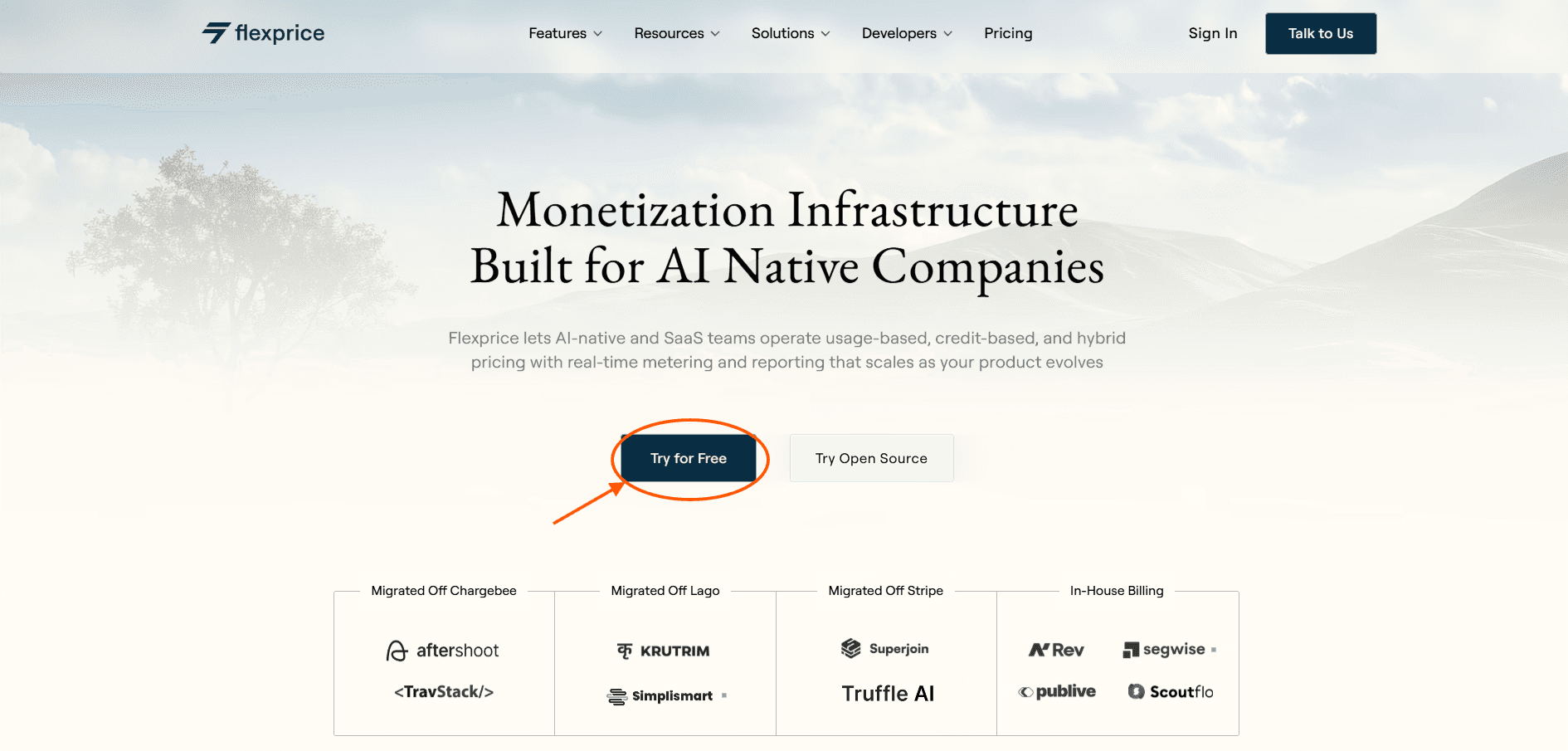
First, visit our website Flexprice.io, then click on the Try For Free button to sign up
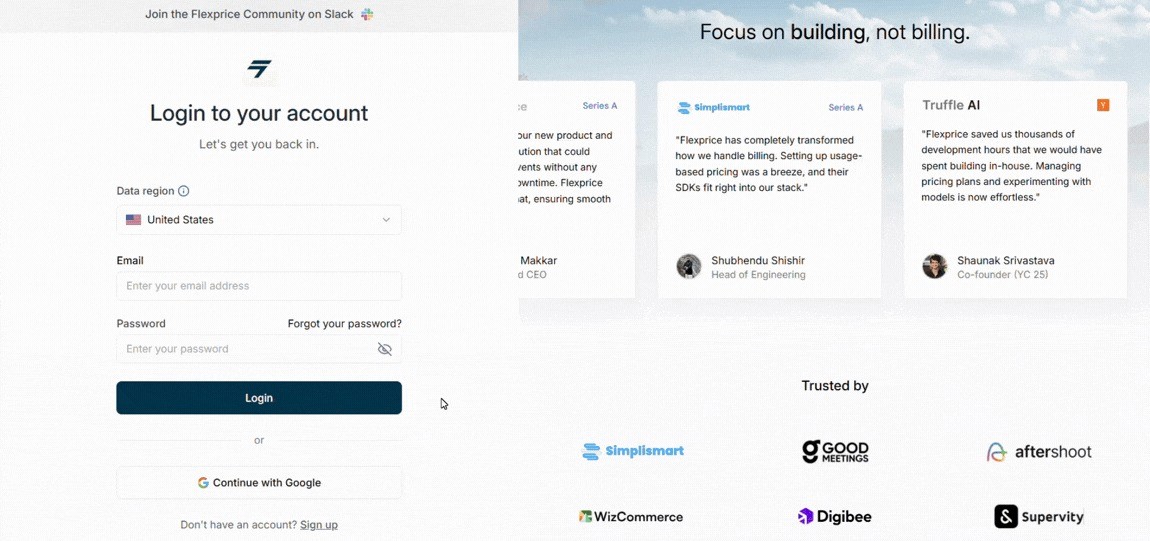
After that, a new window will open where you can fill in your credentials to get started with us
Step 2:
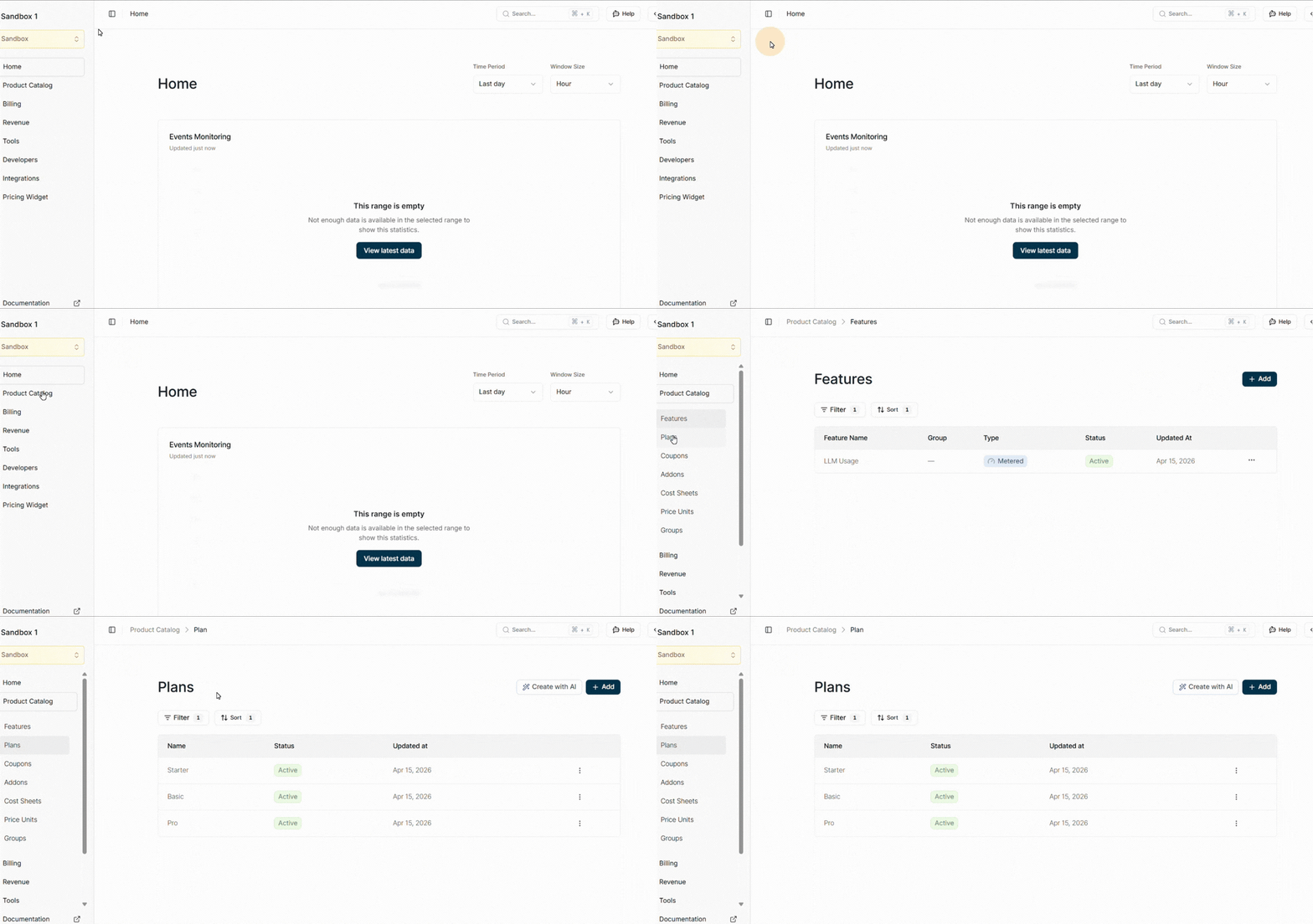
After you're signed up, the Flexprice dashboard will open up. Now, navigate to the product catalog, there you can see plans. Click on that
Step 3:
Click on Product Catalog from the left side of the nav bar and then click on Plans.
Step 4:
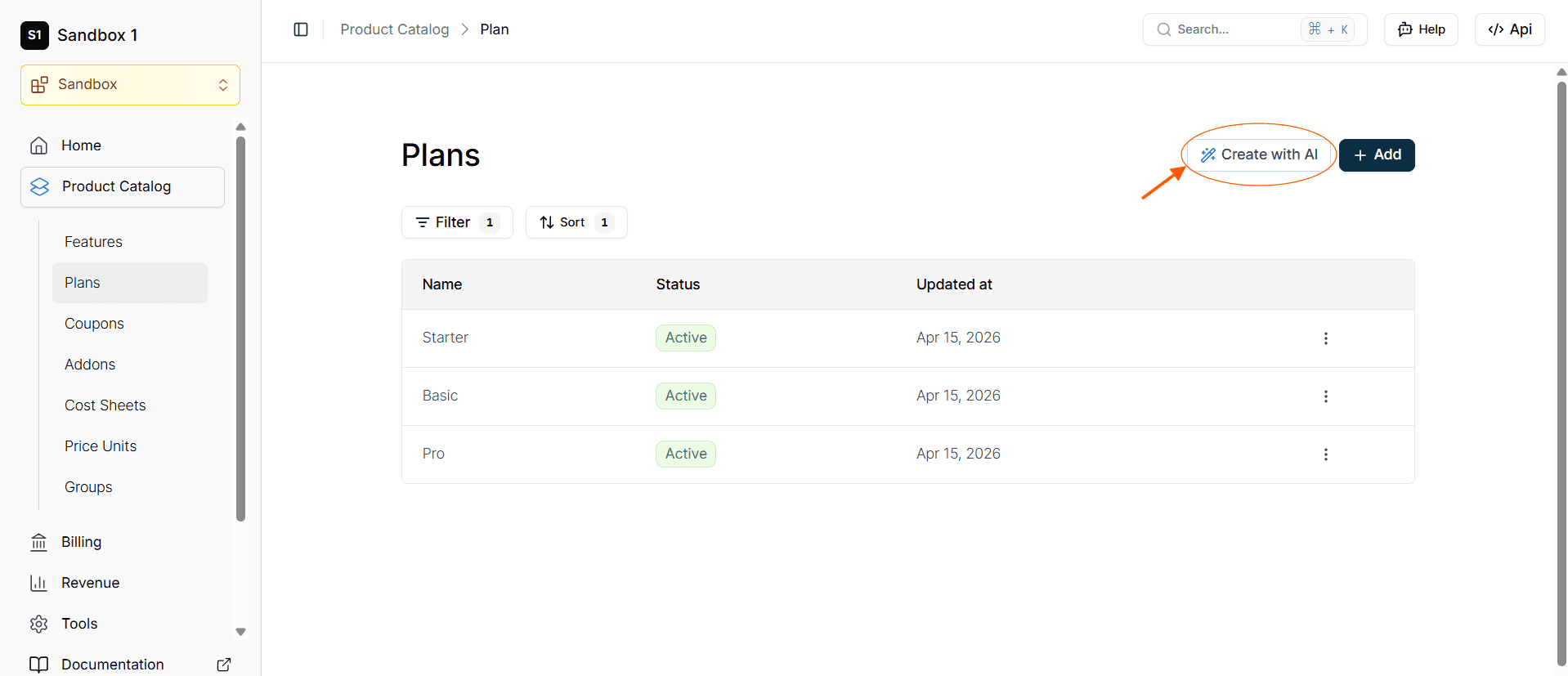
In the top right corner, you can see a button CREATE WITH AI, so click on that.
Step 5:
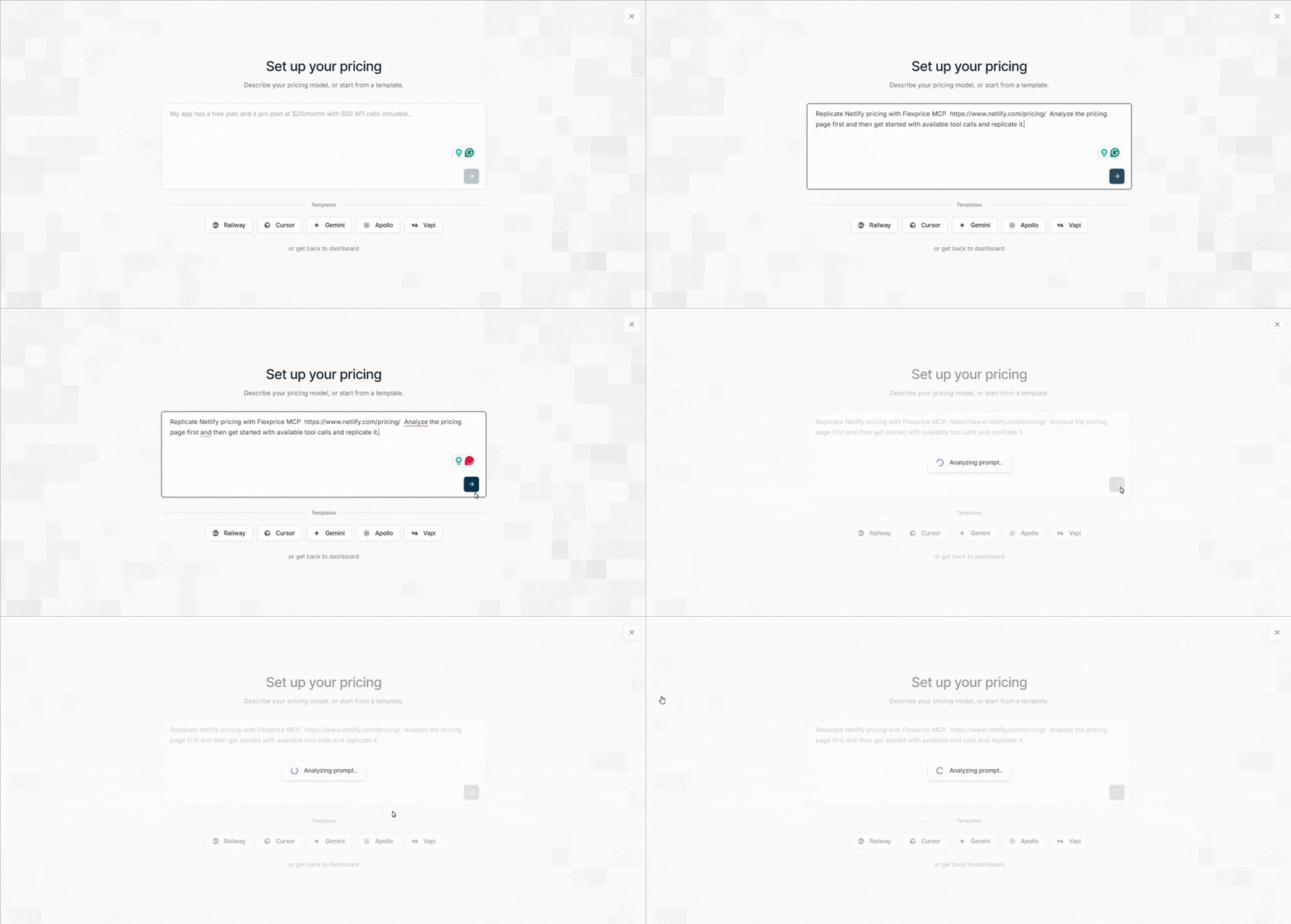
Once you click on that, a new window will appear, and there, provide a single prompt to analyze Netlify's pricing page and replicate its entire structure. In the prompt, include Netlify's pricing link: https://www.netlify.com/pricing/.
Step 6:
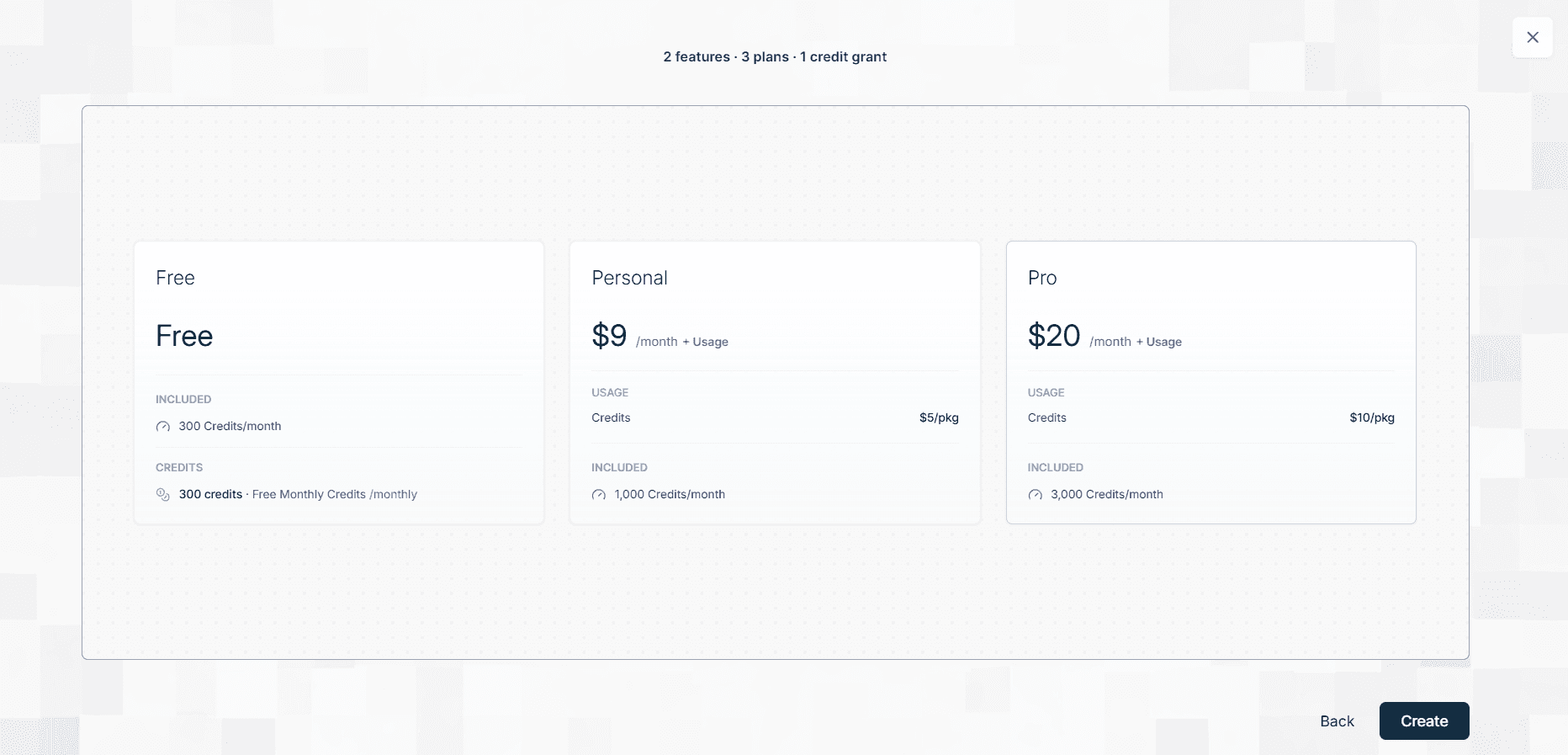
After analyzing is over, a new window with all the features and plan will come, now click on create
Step 7:
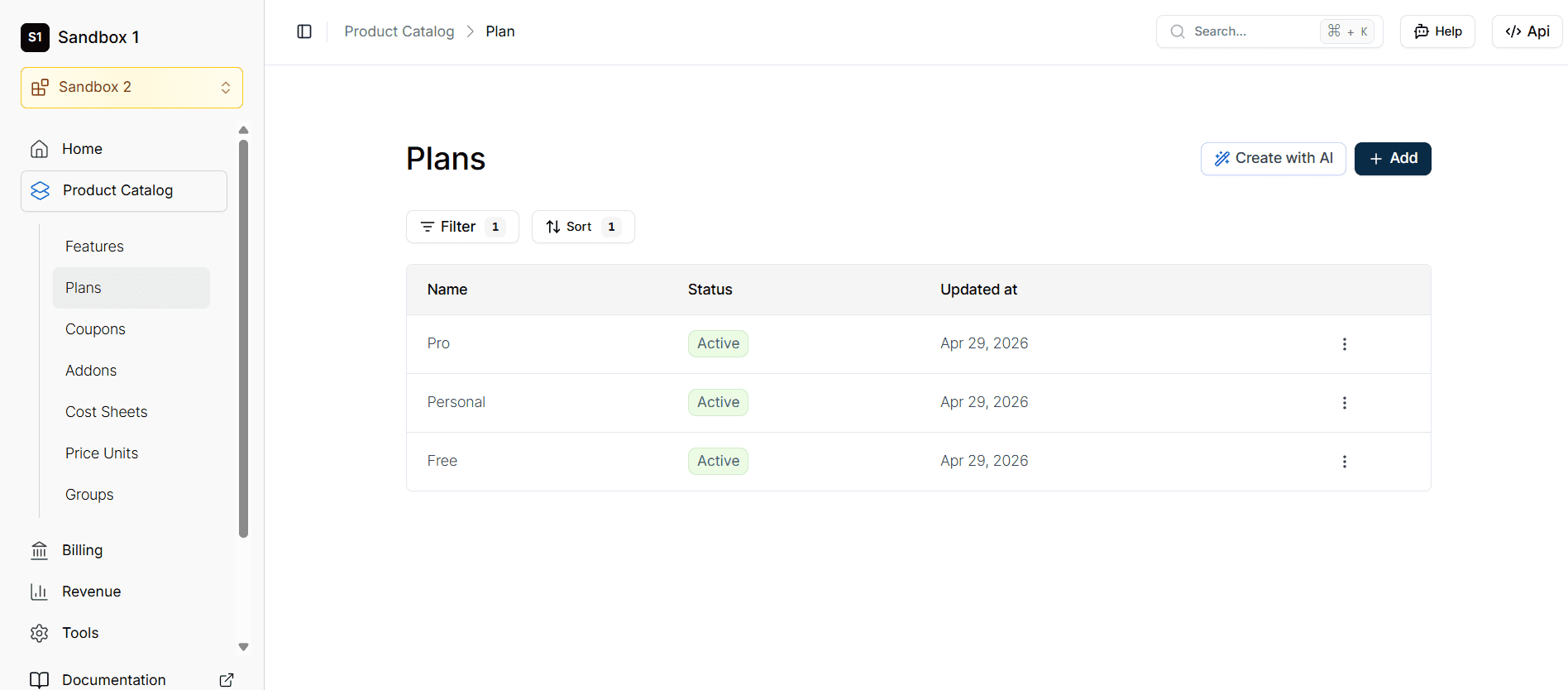
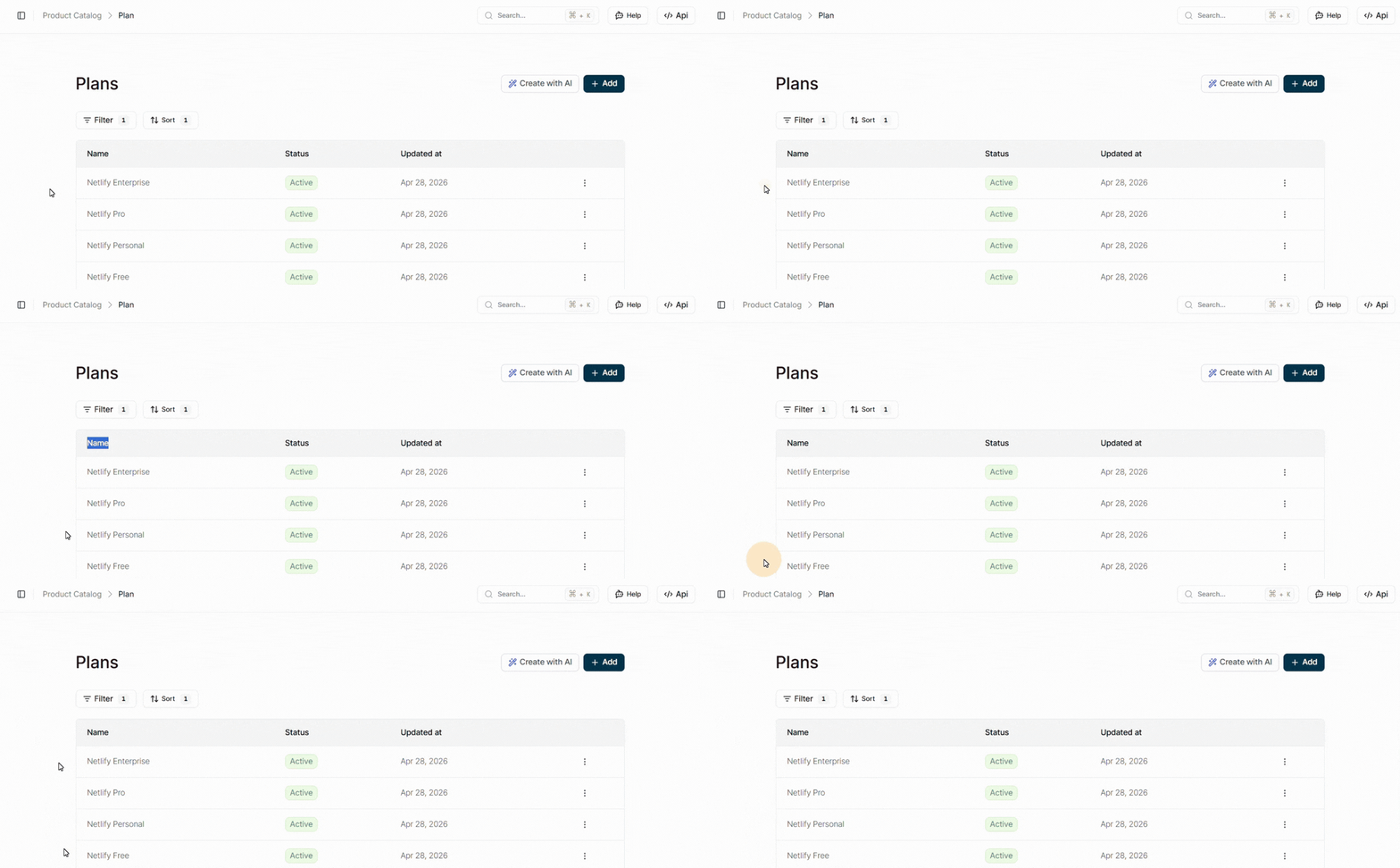
After this process is completed, you can see that all the plans and features have been created according to Netlify pricing.
How to clone Netlify's pricing model using Flexprice's MCP server
If Netlify's pricing model resonates with how you want to charge for your own product, you don't have to build the billing infrastructure from scratch. Flexprice's MCP server lets you replicate this exact structure, fixed plans, monthly credit allotments, and pay-as-you-go auto-recharge overages without writing billing logic yourself. Let's see how this works:
Step 1:
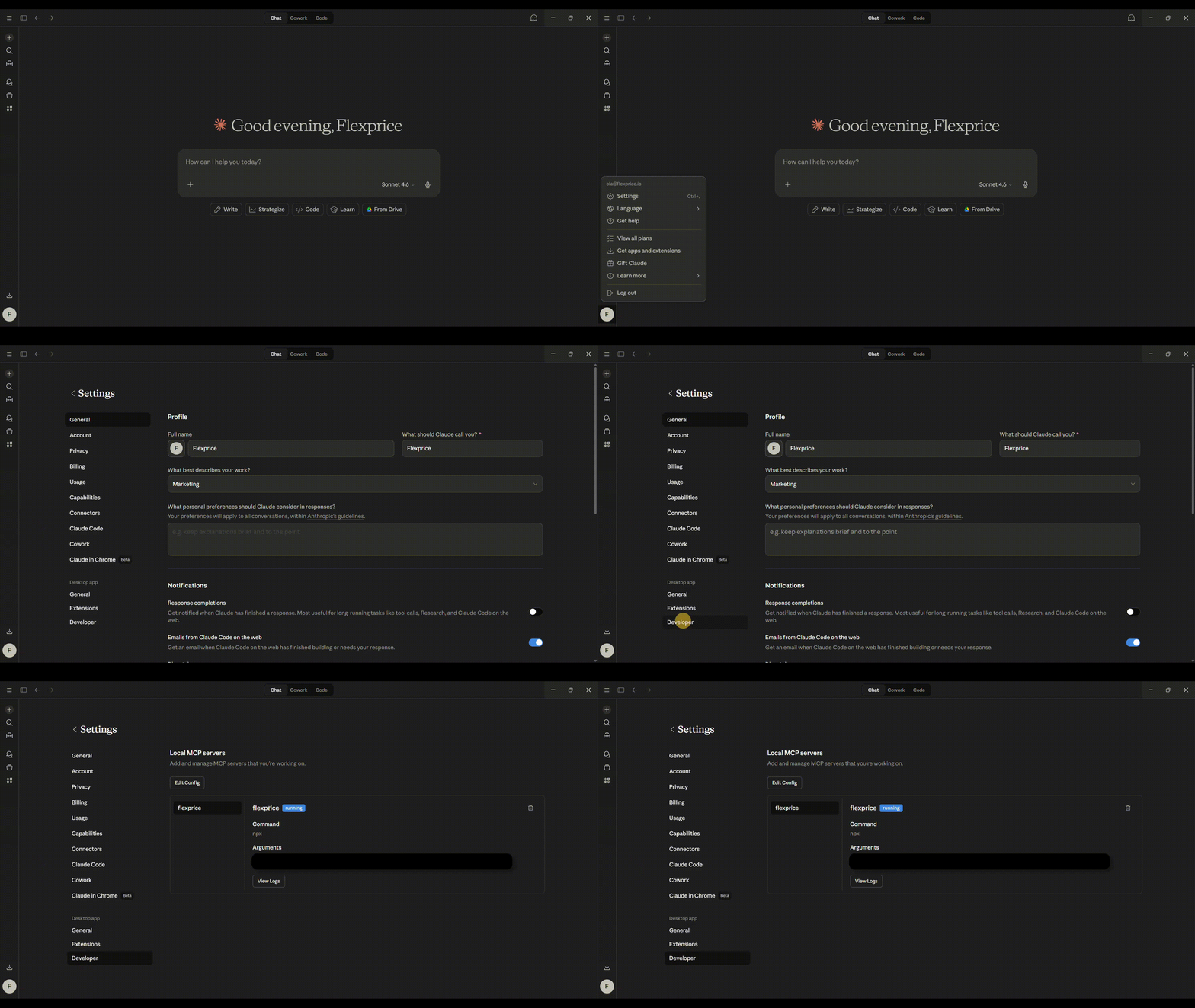
First, you need to ensure that you are successfully set up with the Flexprice MCP server. You can check it by going into settings, then into developer options. There, you can see the Flexprice MCP server status.
Step 2:
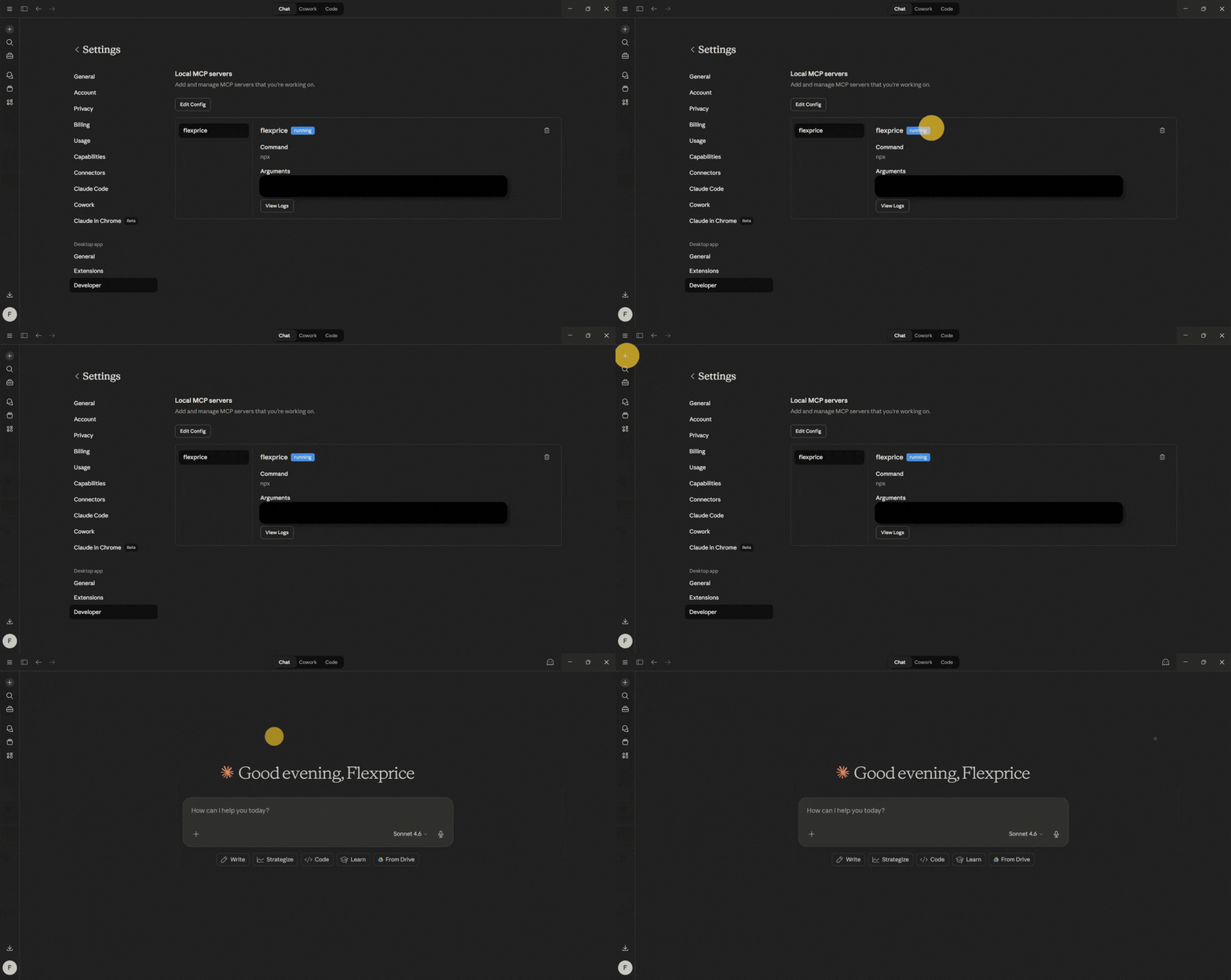
Access Claude or any other AI tool that integrates with the MCP server.
Step 3:
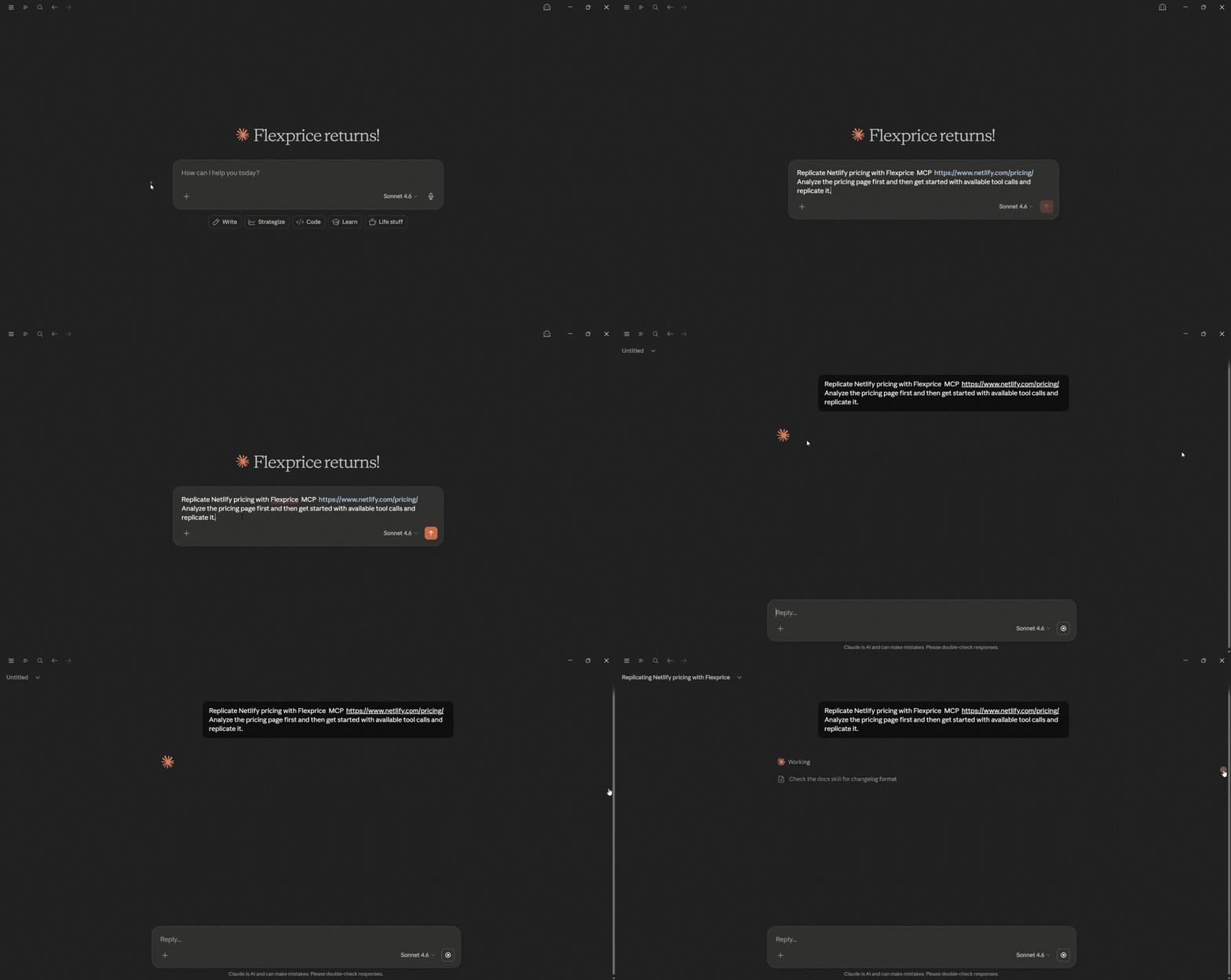
Provide a single prompt asking the AI tool to analyze Netlify's pricing page and replicate its entire structure through the Flexprice MCP. In the prompt, include Netlify's pricing link: https://www.netlify.com/pricing/.
Step 4:
Wait a few moments while the AI automatically processes the prompt and generates the necessary billing infrastructure plans (Free, Personal, Pro, Enterprise), credit-based meters (production deploys, compute, bandwidth, web requests, AI inference), included credit allotments, and auto-recharge overage rules.
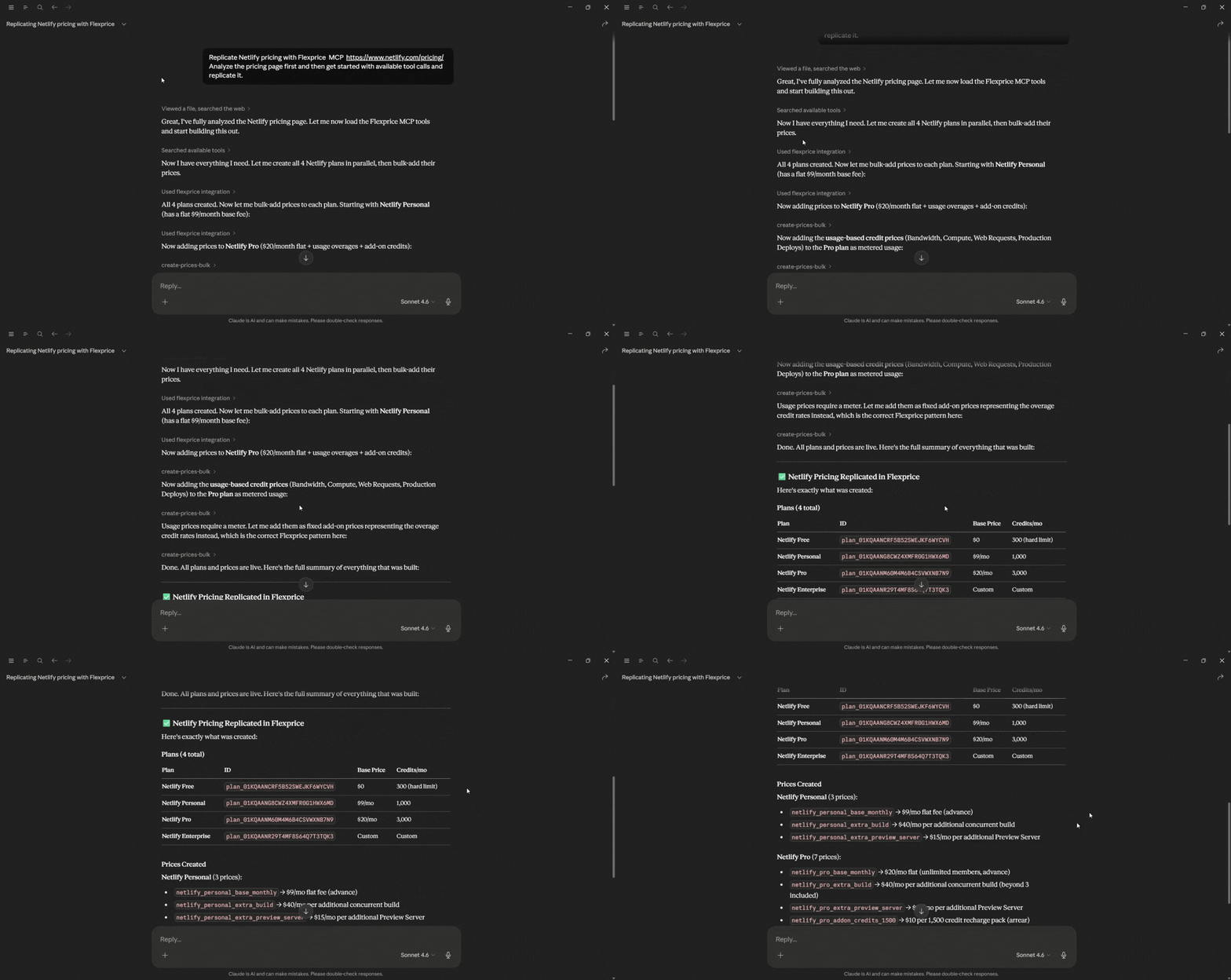
Step 5:
Navigate to your Flexprice dashboard to review the newly created assets. You will find that the AI has used the context from Netlify's pricing page to automatically pre-fill and create plans.
Pricing clarity is part of product fit
Netlify's pricing is built to balance two realities: developers want flexibility, and modern web infrastructure (edge, compute, AI) has real, variable costs. The combination of a fixed subscription, included monthly credits, and pay-as-you-go auto-recharge gives Netlify a way to serve hobbyists, indie devs, and enterprise teams without a one-size-fits-all plan, but it also means your actual bill depends heavily on how you use the platform.
The most predictable experiences come when teams map out expected production deploys, compute needs, bandwidth, web requests, and AI inference before committing to a plan. That's not just a budgeting exercise; it's a way to ensure the platform's limits and pricing model fit your workflow.
For developers building modern web and AI-powered products, this clarity is part of product fit. If the numbers make sense and the features match your needs, Netlify can be a solid choice. If not, the sooner you see the mismatch, the sooner you can explore alternatives or adjust your usage patterns.
How does Netlify's credit-based pricing actually work?
What happens if I exceed my Netlify credit limit?
What's the real difference between Netlify's Free, Personal, Pro, and Enterprise plans?
Why did Netlify switch from flat pricing to credit-based pricing?
How do I avoid surprise overage charges on Netlify?